Halo
Gradient renderer · browser tool
Canvas 2D
OKLab / OKLCH
Typed arrays
0 deps
Role
Design & build
Year
2026
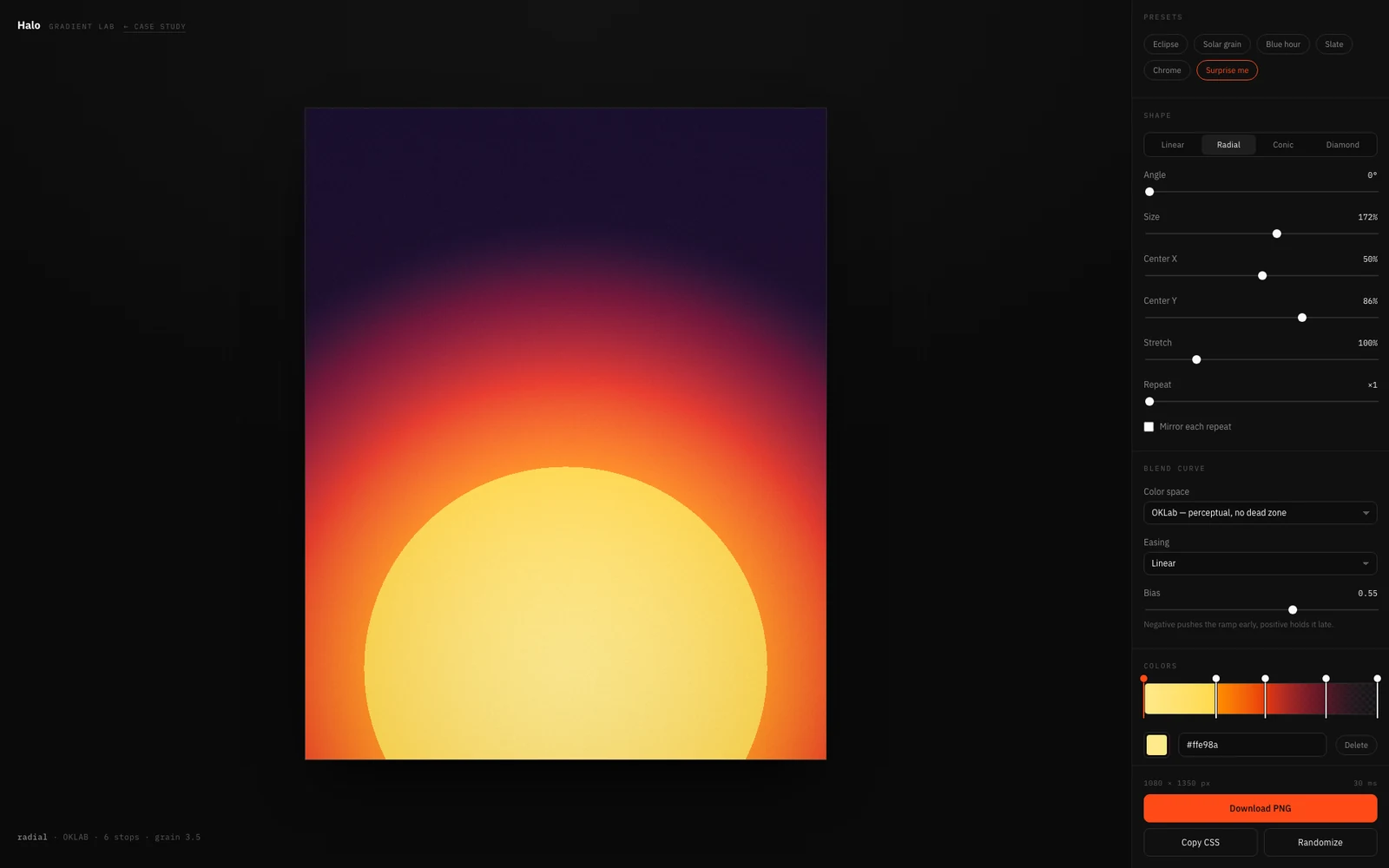
A gradient renderer that runs in the browser: interpolation in OKLab, OKLCH, linear light or sRGB, film grain, dither, and a PNG export at up to 3×. One HTML file, no dependencies, no build step, no server, and nothing leaves the machine. It started with one annoyance: CSS gradients interpolate in sRGB, so two saturated colours meet in a dead grey.
4
colour spaces
1024
LUT entries
13MP
in 0.5 s
0
dependencies
01 — The problem
Two saturated colours, one dead grey
linear-gradient(#0b3ad6, #ffd400) is a straight line through sRGB, and sRGB is not a perceptual space. Halfway between a saturated blue and a saturated yellow you land on a sludge that neither end asked for. Every designer has worked around this by hand, dropping a third stop in the middle until the mud goes away. The tool exists so nobody has to: pick the space the interpolation happens in and the middle takes care of itself.
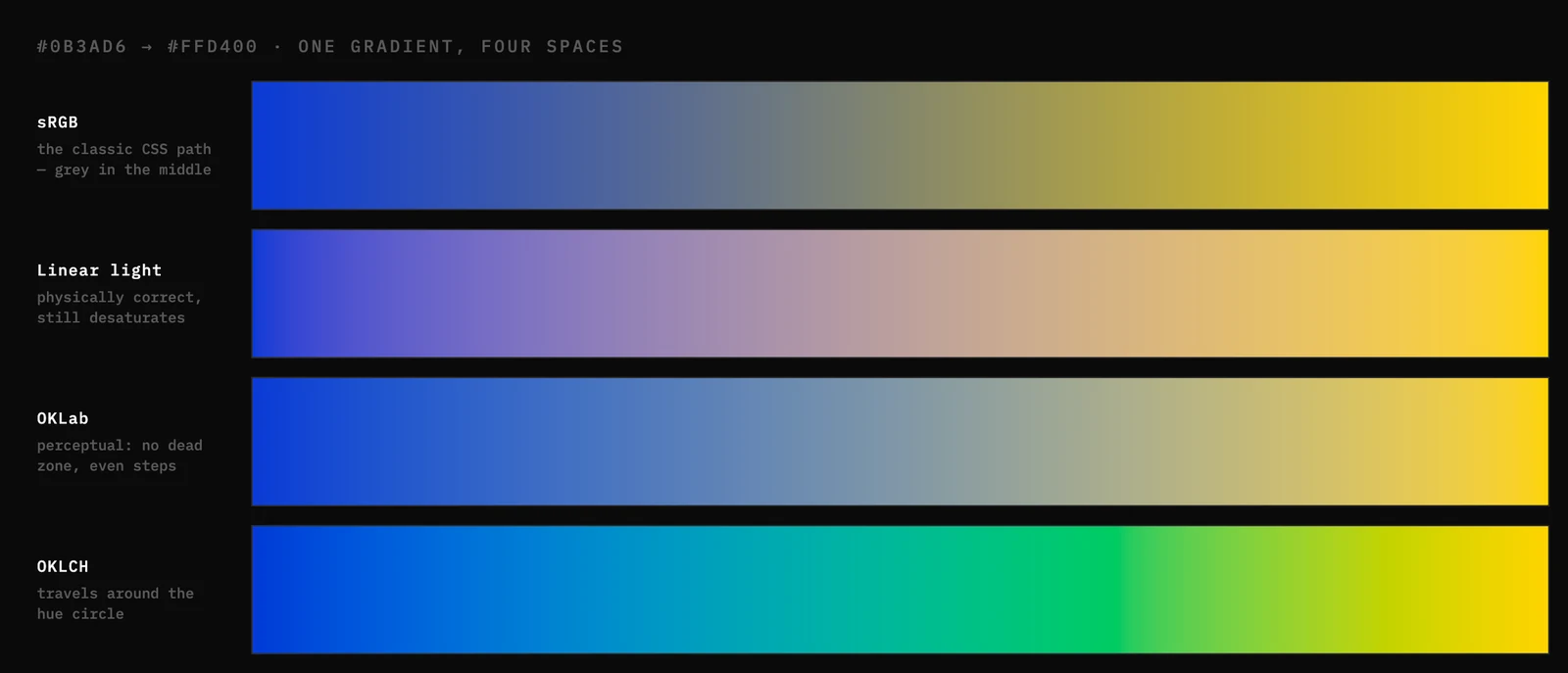
#0B3AD6 → #FFD400, four spaces, same two stops
02 — The renderer
Every pixel, in JavaScript, at 30 frames
There is no WebGL here and no worker. One Uint8ClampedArray, one loop, one putImageData. That only stays interactive if the inner loop is boring, so I moved the work out of it. Everything that doesn’t change per pixel is precomputed, and everything that does is an addition.
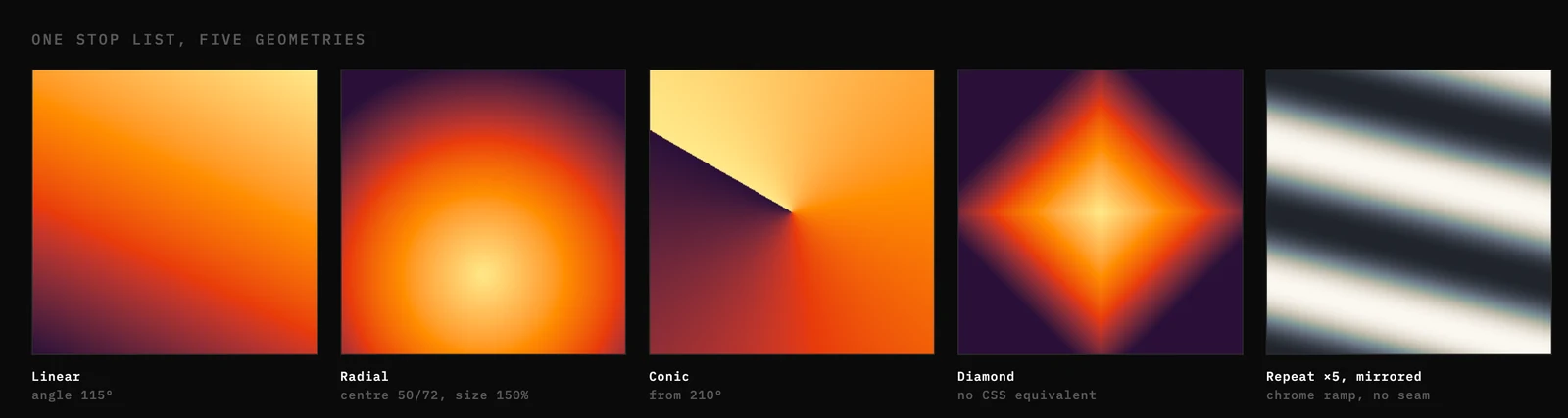
One stop list, five geometries
03 — Texture
Why a clean gradient looks wrong
A mathematically perfect ramp is the one thing a screen can’t show. Eight bits per channel over a large flat area quantises into visible steps, and even when it doesn’t band, a gradient with no grain reads as CGI. Noise fixes both, but it is two different kinds of noise for two different reasons, so they are two separate controls.

A near-flat ramp, four treatments
04 — The interface
Two columns, and no modes
A tool with 25 controls very easily becomes a tool nobody opens twice. The layout is one decision repeated: the artefact is the page and every control sits next to it permanently. No tabs, no accordions, no dialogs. Everything is one scroll away, and nothing is one click away that then hides something else.
05 — Honest leftovers
What this one still gets wrong
It is single-threaded, so a 3× export blocks the tab for about half a second. Fine at 13 megapixels, not fine at 50, and that case wants a worker. There is no undo and no way to save a gradient other than the five built-in presets, so a state you like has to be exported now or lost. Output is 8-bit sRGB only, so a wide-gamut display gets nothing extra. The CSS export is an approximation by construction: 24 sampled stops instead of the real curve, no grain, no diamond, no rotated ellipse. It prints its own limitations, which is the best I can do with a feature that can’t be finished.
The real thing, not a video. It runs entirely in your browser: no account, no upload, nothing leaves your machine.